weareliferuiner

  • Home
  • TECH
    • APP
    • APP REVIEW
    • GADGETS
    • IOS
    • MAC
    • SMARTPHONE
  • COMMUNICATION
  • LIFESTYLE
    • BEAUTY
    • FAMILY
    • FESTIVAL
    • FITNESS
    • FOOD & DRINK
    • HEALTH
  • MONEY
  • Chocolate
  • PRODUCTIVITY
  • NEWS
  • Contact Us !
Reading: SwiftKey Keyboard App for Android Gets an Update to Re-Enable Cloud Sync
Share
Aa
Aa
weareliferuinerweareliferuiner
Search
  • Home
  • TECH
    • APP
    • APP REVIEW
    • GADGETS
    • IOS
    • MAC
    • SMARTPHONE
  • COMMUNICATION
  • LIFESTYLE
    • BEAUTY
    • FAMILY
    • FESTIVAL
    • FITNESS
    • FOOD & DRINK
    • HEALTH
  • MONEY
  • Chocolate
  • PRODUCTIVITY
  • NEWS
  • Contact Us !
Have an existing account? Sign In
Follow US
© 2022 Foxiz News Network. Ruby Design Company. All Rights Reserved.
weareliferuiner > TECH > APP > SwiftKey Keyboard App for Android Gets an Update to Re-Enable Cloud Sync
APP

SwiftKey Keyboard App for Android Gets an Update to Re-Enable Cloud Sync

sristy
Last updated: 2016/09/01 at 6:37 AM
By sristy 2 Min Read
Share
SHARE

SwiftKey Keyboard App for Android Gets an Update to Re-Enable Cloud Sync

SwiftKey Keyboard App for Android Gets an Update to Re-Enable Cloud Sync
HIGHLIGHTS
SwiftKey for Android is now re-enabling cloud sync
There is no word when the update will be available to iOS users
SwiftKey suspended cloud sync after reports of unexpected predictions
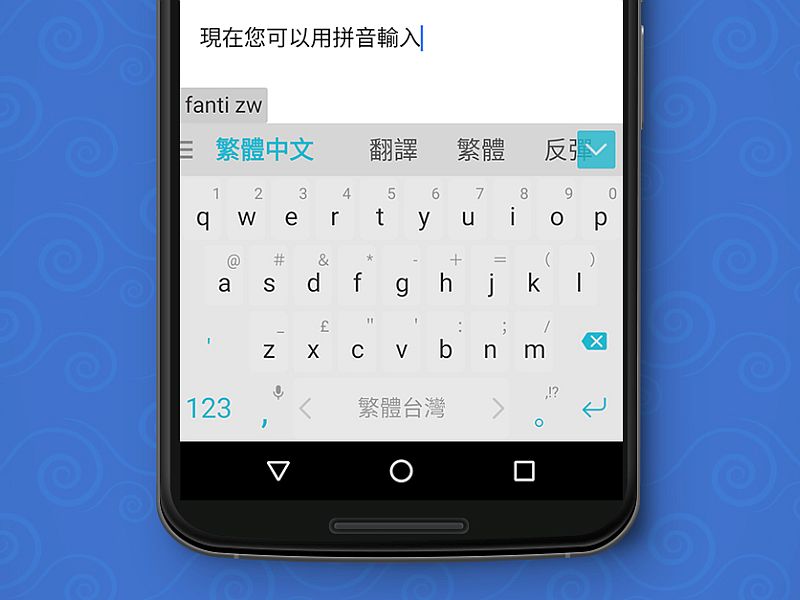
SwiftKey keyboard app, which suspended its cloud sync services at the beginning of this month, has finally started rolling out an update that fixes the issue. A new Android app version v6.3.9.79 is now steadily rolling out to users and re-enables the cloud sync feature.

Unfortunately, the new app update is not available in all regions and it could take few days for the app update to reach all users.

Several users shared their experience after updating the SwiftKey app on the official forum and confirmed that the app update made the “sync work again.” SwiftKey writes on the forum, “This version is on a slow roll out, so you may not get it today.”

For SwiftKey users, with the cloud sync feature working again means that they will start getting word as well as number and mail predictions while typing using the app.

Earlier this month, SwiftKey keyboard app was reported to be leaking email addresses and mobile numbers of some users, and as a countermeasure, the Microsoft-owned firm turned off its cloud sync service. Several SwiftKey keyboard app users reported they saw different mobile numbers and email addresses as suggestions despite never syncing them.
The SwiftKey team took to its blog to detail the issue and acknowledged that a few customers noticed unexpected predictions which led them to turn off the cloud sync service and also remove email address predictions. Despite multiple reports claiming that SwiftKey may have leaked details, the company stressed that the “vast majority of SwiftKey users were not affected” by the issue.

Share a screenshot and win Samsung smartphones worth Rs. 90,000 by participating in the #BrowseFaster contest.

Tags: Apps, Microsoft, SwiftKey, SwiftKey Keyboard App

[“Source-Gadgets”]

TAGGED: an, Android, App, Cloud, for, gets, Keyboard, Re-Enable, SwiftKey, Sync, to, Update
sristy September 1, 2016
Previous Article Google Now Lets You Order Food, Book a Table From Search in India
Next Article Instagram Finally Lets You Zoom in on Photos and Videos

Latest News

Living in a Toxic World: What Science Reveals About Environmental Risks and Women’s Reproductive Health
HEALTH
Best Places to Visit in India 2026: A Smarter Travel & Outfit Guide
LIFESTYLE
Greetings, MacBook Neo! Apple today unveiled
MAC
Paper Money – What is It and How Does it Work?
MONEY
10 Benefits of Hot Chocolate That Make It More Than Just a Comfort Drink
Chocolate
Hair Thinning Explained: Early Signs, Causes & What Actually Helps
BEAUTY
Why Huntsville Roof Repair Experts Are Your Best Bet for Long-Term Roof Health
NEWS
App Feedback Simplified: How to Gather and Use User Insights to Improve Your Mobile App
APP REVIEW

Removed from reading list

Undo

Lost your password?