
weareliferuiner

  • Home
  • TECH
    • APP
    • APP REVIEW
    • GADGETS
    • IOS
    • MAC
    • SMARTPHONE
  • COMMUNICATION
  • LIFESTYLE
    • BEAUTY
    • FAMILY
    • FESTIVAL
    • FITNESS
    • FOOD & DRINK
    • HEALTH
  • MONEY
  • Chocolate
  • PRODUCTIVITY
  • NEWS
  • Contact Us !
Reading: Apple Bricks Ethernet Port on Some Macs With OS X Update, Here’s How to Fix It
Share
Aa
Aa
weareliferuinerweareliferuiner
Search
  • Home
  • TECH
    • APP
    • APP REVIEW
    • GADGETS
    • IOS
    • MAC
    • SMARTPHONE
  • COMMUNICATION
  • LIFESTYLE
    • BEAUTY
    • FAMILY
    • FESTIVAL
    • FITNESS
    • FOOD & DRINK
    • HEALTH
  • MONEY
  • Chocolate
  • PRODUCTIVITY
  • NEWS
  • Contact Us !
Have an existing account? Sign In
Follow US
© 2022 Foxiz News Network. Ruby Design Company. All Rights Reserved.
weareliferuiner > TECH > MAC > Apple Bricks Ethernet Port on Some Macs With OS X Update, Here’s How to Fix It
MAC

Apple Bricks Ethernet Port on Some Macs With OS X Update, Here’s How to Fix It

sristy
Last updated: 2016/03/03 at 4:26 AM
By sristy 2 Min Read
Share
SHARE
Apple Bricks Ethernet Port on Some Macs With OS X Update, Here's How to Fix It

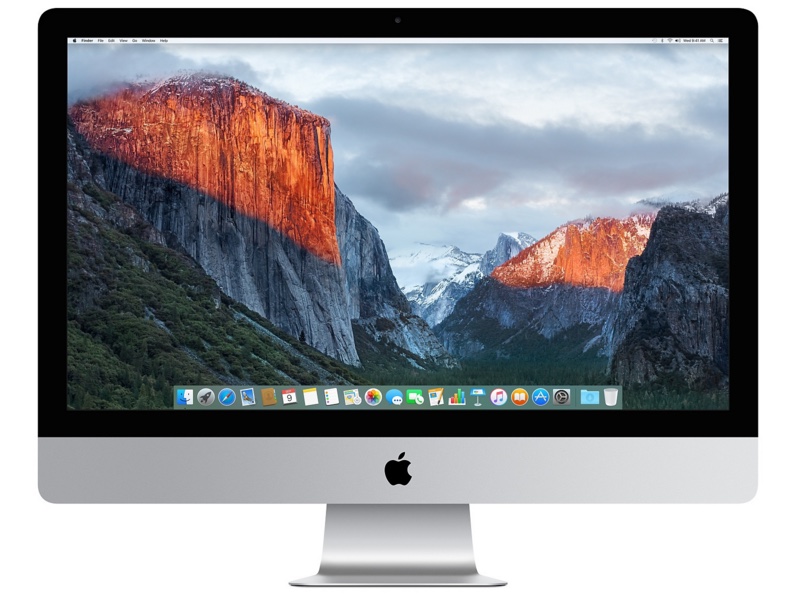
If your Mac isn’t connecting to the Internet, you can blame Apple for that. The Cupertino-based company has admitted that a recent update to the operating system rendered the Ethernet port on the machine useless for at least some people. The company has explained on the support website about how one can fix the glitch. You can also do it manually, in case connecting your machine to the Internet wirelessly is also not possible.

Over the weekend, users began to complain of connectivity issues with Ethernet port on “most” Mac computers. They claimed that a Kernel extension update, which has since been pulled, blacklisted the BCM5701 driver, which is supposedly responsible for the correct functioning of the Ethernet port. Apple has acknowledged the issue and urges users to update to Kernel extension version 3.28.2 or make some changes to the system manually.

Check System Information on your system (by opening Spotlight and searching for System Information) to pinpoint the version number of Incompatible Kernel Extension Configuration. The affected version number is 3.28.1. If your system is facing the issue, you will be required to update the configuration to get the Ethernet porting again. If you’ve the option to connect to a Wi-Fi network, type in sudo softwareupdate –background. Close Terminal and restart the system.

If you cannot connect to Wi-Fi, restart the system in Recovery mode, and manually delete the following file using Disk Utility and Terminal: rm -rf “/Volumes/Macintosh HD/System/Library/Extensions/AppleKextExcludeList.kext. You can read more about it here.

[“Source-Gadgets”]

TAGGED: Apple, Bricks, Ethernet, Fix:, Here's, how, it, Macs, on, OS, Port, Some, to, Update, with, X
sristy March 3, 2016
Previous Article EU Approves Dell Buyout of Data-Storage Giant EMC
Next Article Raspberry Pi 3 With 64-Bit CPU, Bluetooth, and Wi-Fi Launched at $35

Latest News

Augie Nieto: 2024 Don Wildman Commitment to Excellence Award Winner
FITNESS
PFAS-Free Fabrics: Why Boody Avoids Forever Chemicals
LIFESTYLE
Guinness (and Chocolate) Is Good for You! Separating Fact from Fiction
Chocolate
Lipstick Application Techniques for Beginners
BEAUTY
QuikTrip vs. 7-Eleven: Which One Rules the Road for Travelers?
FOOD & DRINK
2026 Beauty, According To People Who Are Already Over 2025
BEAUTY
Augie Nieto: 2024 Don Wildman Commitment to Excellence Award Winner
FITNESS
Innovation at Your Fingertips: Must-Have Kitchen Gadgets for Culinary Excellence
GADGETS

Removed from reading list

Undo

Lost your password?